Baby Balloons pop
AppQuizEducational
4.41.51K Reviews
- Version
- 23.7
- Installs
- 10.00M
- Age Rating
- Everyone
Screenshots
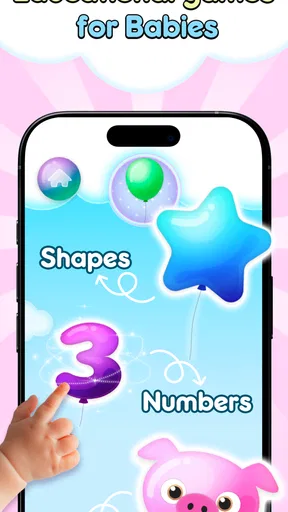
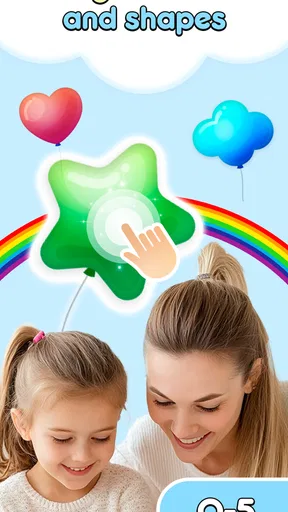
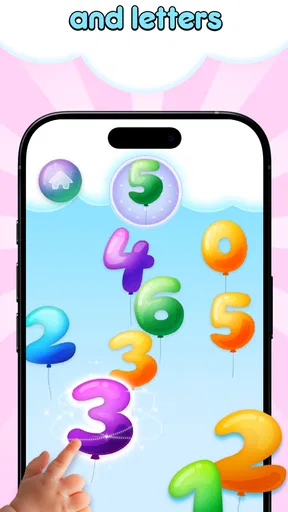
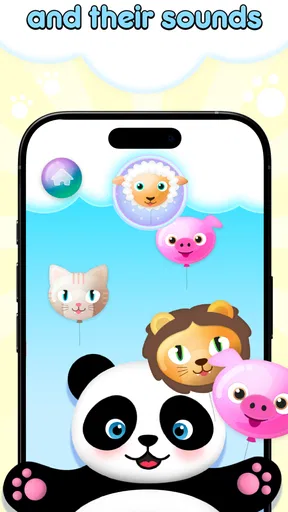
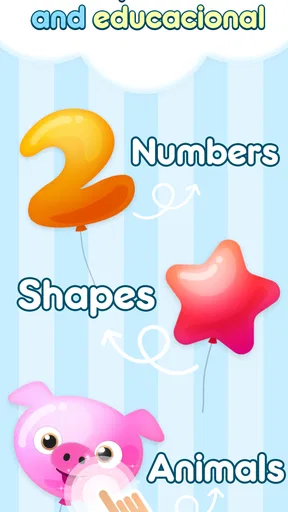
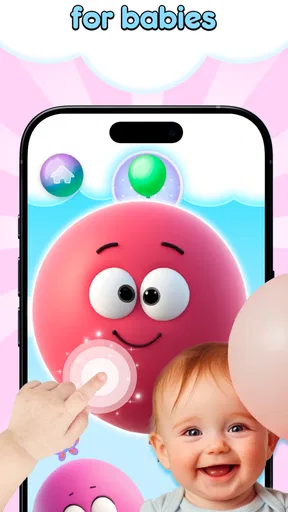
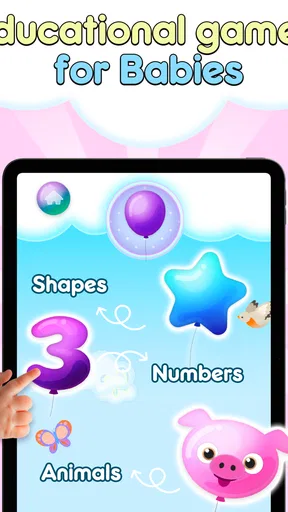
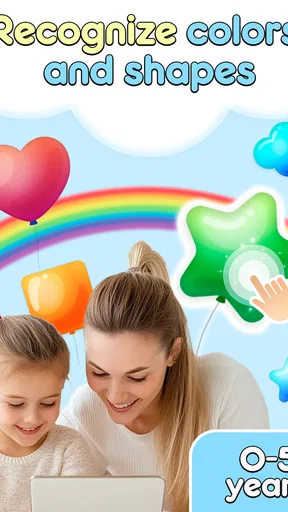
Our Review of Baby Balloons pop
 Analysis by Appyee
When I tested Baby Balloons pop, I quickly understood its appeal: it turns a very simple action into a short, colorful activity that a young child can begin without a long explanation. The game comes from AppQuiz and sits in the educational category, with a focus on sensory play rather than lessons, reading practice, or structured quizzes. I found it most useful during small gaps in the day, when I wanted to offer a child something more purposeful than random tapping but did not need a full learning session.
The basic idea is easy to grasp. Balloons and bubbles appear on the screen, and the child touches them to pop them. That simplicity is the main design decision, not a lack of ambition. A toddler can explore the screen through movement, color, and sound without needing to understand menus or instructions first. At the same time, an older child may lose interest sooner because there is not much visible complexity in the central activity.
It is free to start, carries an Everyone age rating, and has reached over 10 million installs. Its average rating is 4.4 from around 49 thousand ratings, which suggests that many households find the straightforward format useful. I would still treat those figures as a sign of broad appeal rather than proof that it will suit every child: the experience depends heavily on the child’s age, sensitivity to stimulation, and tolerance for repetition.
How it works in a shared household
The most natural way I used Baby Balloons pop was on a shared phone or tablet in a common room. A child could sit beside me, hold the device, and start popping without needing an account or a complicated setup routine. That makes it convenient when the device is already being used by several people and I do not want to create a separate profile just for a brief activity.
A realistic example is the few minutes before leaving the house. While I was preparing a bag or waiting for another family member, I could hand over the device and let the child play in a limited window. The game’s direct interaction meant I did not have to explain a story, read instructions aloud, or solve a technical problem before the activity began. It worked better as a short bridge between tasks than as something I would plan an entire afternoon around.
Shared-device use also changes how I judge the game. A child may not be the only person touching the screen, and a sibling may want a turn. Because the main action is immediately visible, it is easy to demonstrate once and then let the child try. I found that sitting nearby was still valuable, especially with younger children, because the activity can become repetitive if nobody adds conversation or a small challenge.
I would not describe it as a game that needs constant adult coaching, but supervision has a practical purpose. An adult can decide when the session is finished, keep the device from being carried around, and notice whether the child is enjoying the sensory response or simply tapping without interest. That distinction matters: the game offers an activity, but it does not replace interaction with a parent, carer, or sibling.
Keeping the shared device comfortable for everyone
On a household device, I recommend opening the game before handing it over and checking that the child is already on the intended screen. This small habit avoids accidental navigation through unrelated apps. It also makes the handoff calmer, since the child sees the activity immediately rather than waiting while an adult searches for it.
I would also agree on a simple stopping point before the session begins. For example, the child might play until a short timer ends or until another household task is ready. That boundary is especially useful because a repetitive popping activity can be easy to continue even after its educational value has faded. The game itself should not be expected to manage the household routine for you.
Another useful approach is to use it as a turn-taking activity rather than an always-available distraction. One child can pop while another watches, then they can swap. This turns a solitary touch exercise into a small coordination game without pretending that the app includes a multiplayer system. The social value comes from how the adults and children organize the session, not from a feature I would attribute to the software.
For a device used by adults as well as children, I would avoid leaving the game open indefinitely. A shared phone often contains messages, work material, photos, and other personal information. Baby Balloons pop is easy to hand over, but the device boundary still belongs to the household. If the operating system offers a way to keep a child inside one app, that system-level option may be worth using; I would not confuse it with a built-in family-control feature of this game.
Setup boundaries before a child starts
The game is free, which removes the main barrier to trying it. However, in-app purchases range from $0.99 to $6.49 per item, so I would check the purchase settings on a shared device before giving it to a child. This is one of the most important practical points for families: “free” does not mean that every possible action around the app is automatically outside the purchase flow.
I prefer to handle any store or payment decisions myself and leave the child with the playing screen only. That keeps the child’s role clear and reduces the chance of a curious tap becoming a household discussion about a purchase. The exact protection available will depend on the phone or tablet’s operating system and account setup, so I would use the device’s own purchase safeguards rather than assume the game will provide every boundary.
Its current version is 23.6, and it supports operating systems from version 7.1 onward. For an older shared device, that compatibility can be helpful because a family may not want to replace a perfectly usable tablet just to run a simple children’s activity. Before installing, I would still check storage and general device condition, since an older system may feel slow even when the app technically supports it.
I also suggest deciding whether sound belongs in the session. Sensory games can be pleasant at home but distracting in a waiting room, car, or bedroom. If the child responds strongly to audio or bright movement, an adult should stay close enough to notice when stimulation stops being enjoyable. That is not a criticism unique to this title; it is a reason to treat this particular kind of activity as something to fit into the setting.
Coordinating play instead of handing over the screen
The strongest household use I found was guided play. Rather than letting the child tap silently for a long period, I could ask simple questions while the activity continued: which balloon should be tapped next, what color appeared, or whether the child wanted to use one finger or another. Those prompts add language and attention practice without claiming that the app itself teaches a complete curriculum.
This approach also helps an adult judge whether the child is ready for more challenge. If the child can pop confidently but becomes bored quickly, the app may have served its purpose as an introductory sensory activity. If the child is still learning to aim at a moving or changing object, a short session can remain useful. I would keep the prompts light; turning every tap into a test would work against the relaxed design.
With siblings, I would set a clear order before opening the game. The simplicity that helps one child start quickly can also make another child feel that there is nothing to do while waiting. Taking turns, naming colors, or having one child point while the other taps can make the session feel shared. Again, these are household routines built around the game rather than hidden modes that I would promise are included.
For caregivers, the main coordination question is not “Can the child operate it?” but “What do I want this short session to accomplish?” If the answer is calming transition time, keep the session brief and predictable. If the answer is hand-eye practice, sit nearby and talk about aiming. If the answer is independent entertainment while an adult works, choose a safe location and check in regularly. The same app can feel more or less successful depending on that intention.
Age, trust, and the right level of independence
The Everyone rating makes the game broadly suitable from a content perspective, but age labels do not tell me whether every child will enjoy it in the same way. A very young child may appreciate the immediate cause and effect, while a preschooler looking for characters, stories, puzzles, or progression may find it too bare. I would introduce it as a simple sensory game, not as a complete educational program.
I also would not use the age rating as a reason to leave a child alone with an unlocked shared device. Content suitability and device privacy are separate issues. A child can be trusted with the activity while still needing an adult to control purchases, protect other apps, and decide how long the device is available. That distinction is particularly important in a household where one phone serves several people.
Trust can be built through a predictable routine. I found it easier to say, “You can pop balloons while I finish this task, then we put the device back,” than to negotiate an ending after an open-ended session. The game’s uncomplicated format supports that routine because there is no elaborate story that must be completed before stopping. A child may still protest, of course, but the adult has a clearer boundary to refer to.
Some children enjoy repeated visual and touch feedback; others need more variety. Watch for signs of the latter: wandering attention, pressing randomly, or asking for a different activity almost immediately. In that situation, I would switch to a drawing app, a physical toy, a matching activity, or a more structured educational game. Baby Balloons pop is not the right choice simply because it is labeled educational.
What it does better than familiar alternatives
Compared with a video, this game gives the child an active role. The child has to touch the screen and respond to what appears, rather than only watching a sequence unfold. That makes it a better fit when I want a small amount of hand-eye involvement. It is also easier to pause naturally than a long cartoon, since the core activity does not depend on following a plot.
Compared with a puzzle or early-learning lesson, it has a much lower entry barrier. There is no need to understand matching rules, remember instructions, or produce a correct answer before seeing a response. That is a real strength for a child who is still becoming comfortable with touchscreens. The trade-off is that it offers less cognitive variety and less obvious progression than a well-designed puzzle app.
Compared with a physical bubble toy, the screen version is cleaner and easier to use indoors, especially when a caregiver wants a contained activity. The physical alternative can provide richer movement and a different sensory experience, though, so I would not treat the app as a replacement. If a child needs to move their whole body, explore real textures, or step away from screens, a physical activity is the better choice.
Compared with more elaborate children’s game collections, this title is easier to understand but may feel limited sooner. Its narrow focus is helpful when I want one immediate action and no complicated menu. It is less suitable when I want reading, counting, memory, creative construction, or a sequence of increasing challenges in the same session.
Small details that affect everyday use
One practical insight is that the game works best in short bursts because its central reward is immediate rather than cumulative. I would use it before a meal, during a brief wait, or as a gentle transition between activities. I would not promise a child a long session unless I already knew that repetition held their attention.
A second insight is that adult language can turn a basic tapping action into more meaningful practice. Naming colors, counting a few pops aloud, or asking the child to wait for a chosen balloon encourages attention and communication. The key is to follow the child’s pace. If the child is concentrating on aiming, too many questions can become distracting instead of helpful.
A third insight concerns device ownership. Because this is often the kind of app that gets installed on an older or shared tablet, the most important preparation may happen outside the game: remove access to payment screens where appropriate, keep the device in a common area, and decide who gets the next turn. Those steps protect the household experience more effectively than expecting a simple children’s game to solve every account or privacy question.
A fourth trade-off is that simplicity can help one child and disappoint another. I would test it with a short supervised session before building it into a daily routine. If the child immediately understands the interaction and stays engaged, it can become a dependable low-pressure option. If the child wants goals, characters, or a sense of achievement, installing a more structured alternative will probably be a better use of storage and attention.
Who should install it and who should skip it
I would recommend Baby Balloons pop to caregivers looking for a free, easy-to-start activity for a young child, especially when the device is shared and the adult wants to remain nearby. It is a good match for a child who enjoys tapping, colors, and immediate reactions, and for a household that values short, uncomplicated sessions over a large feature set.
I would be more cautious if the child is sensitive to screen stimulation, quickly frustrated by repetition, or already asking for activities with clearer goals. I would also skip it as the main educational app for a child who needs phonics, number work, memory practice, or progressive problem solving. The educational value here comes from sensory interaction and the way an adult extends it through conversation, not from a broad academic curriculum.
Families sharing one device should pay particular attention to purchase boundaries and handoff routines. The game is easy to start, but that convenience should not mean giving a child unrestricted access to everything else on the device. I found the best balance by treating it as a supervised activity with a clear beginning and end.
AppQuiz has kept the concept focused, and that focus is both its identity and its limitation. I appreciate that a child can understand the central action without a tutorial, but I would not confuse ease of use with depth. Whether it earns a permanent place on your device depends on how much variety your child needs after the first few sessions.
My household verdict
After using it in the way I would use a shared-device game, I see Baby Balloons pop as a small, practical tool rather than an all-purpose learning solution. It is useful when I need a young child to engage with a simple touch activity for a short time, and it gives adults several easy ways to add language, turn-taking, and attention practice around the screen.
The free entry point and Everyone rating make it approachable, while the broad install base and 4.4 average suggest that it has found a comfortable audience. Its in-app purchase range means I would still prepare the device before handing it over. The most important limitation is not technical: the repeated popping may not hold interest for children who expect progression or a wider range of challenges.
My recommendation is therefore specific. Install it if you want an uncomplicated sensory game for supervised household use, particularly on a shared or older device. Keep sessions intentional, protect the device’s account and purchase boundaries, and use conversation to make the activity richer. If your priority is deep learning, long-term progression, or independent play without adult coordination, choose a more structured alternative instead. For short, friendly bursts of screen-based interaction, it earns a place; for everything beyond that, its simplicity becomes the deciding limitation.
Privacy and Permissions
See what permissions an app requests and how it handles your data.
- Other
- view network connections, full network access, prevent device from sleeping, Google Play license check
Verdict
Strengths of Baby Balloons pop
- Simple tap controls make it easy for toddlers to play independently.
- Bright balloon designs provide an engaging visual experience for young children.
- Short play sessions suit quick entertainment breaks.
- Minimal menus reduce the chance of children opening unwanted screens.
- Works well as a basic first game for practicing hand-eye coordination.
Limitations of Baby Balloons pop
- Gameplay may feel repetitive after only a few minutes.
- Limited challenge means older children may lose interest quickly.
- Bright animations could be overstimulating for sensitive children.
- Accidental taps may trigger actions without requiring much precision.
- Parents should check ads or purchases before handing over the device.
Other Releases by AppQuiz
View All
Dentist games
Educational4.5

Fisher-Price™ Play & Learn
Educational4.6
Similar Picks in This Category
View All
Little Panda Policeman
BabyBus4.0

Monster Trucks Game for Kids 2
Raz Games4.1

Little Panda's Chinese Recipes
BabyBus4.4

Little Panda's Restaurant
BabyBus4.4

Little Panda's Ice Cream Games
BabyBus4.3

Baby Panda Care
BabyBus3.8
Frequently Asked Questions
What is Baby Balloons Pop and how is it played?
Baby Balloons Pop is a simple and colorful balloon-popping game designed primarily for young children. Players tap balloons as they appear on the screen, usually aiming to pop as many as possible while enjoying playful sounds, bright graphics, and easy-to-understand interactions. The controls are straightforward, so children can begin playing without needing complicated instructions or previous gaming experience.
Is Baby Balloons Pop suitable for toddlers and young children?
The game is intended for babies, toddlers, and preschool-age children who enjoy interactive visual activities. Its basic tap-to-pop gameplay makes it accessible even to very young users, although the ideal age can vary depending on a child’s coordination and attention span. Parents should supervise younger children, especially when the app is used on a phone or tablet.
Does Baby Balloons Pop require an internet connection?
Baby Balloons Pop is generally designed as a casual game that can be played without a constant internet connection. This makes it useful for keeping children entertained during travel, waiting periods, or other situations where Wi-Fi or mobile data may not be available. However, internet access may still be needed for initial installation, updates, advertisements, or certain optional features.
Are there advertisements or in-app purchases in Baby Balloons Pop?
Before downloading Baby Balloons Pop, parents should check the current store listing for details about advertising and in-app purchases, as these can vary between versions and devices. Some free children’s games may display advertisements or offer paid extras. It is recommended to enable parental controls and avoid allowing unrestricted purchases, particularly if the device is shared with a child.
Is Baby Balloons Pop safe for children to use?
Baby Balloons Pop offers simple, non-violent gameplay and is generally appropriate for children when used responsibly. Nevertheless, parents should review the app’s permissions, privacy information, advertising practices, and any external links before allowing independent use. Screen time should also be limited according to the child’s age, with supervision recommended to ensure the game remains a safe and positive activity.
Play our best games!


